“In times of radical change, the learners inherit the earth, while the learned find themselves perfectly equipped for a world that no longer exists.” - Erik Hoffer
Showing posts with label computer security. Show all posts

December 19, 2011

LIfehacker: The best and best avoided software for Windows...

Over the weekend, I was talking with a friend about Download.com, add-on toolbars and malware in general. when it dawned on me that it would be a lot easier for new users and or even users upgrading their computers or just adding new software if they all knew what software to avoid first -- BEFORE they downloaded software that they'll regret and have to clean off their computer later.  To complicate matters, many new computers are sold with trial versions of antivirus or other software or even less capable versions of software in hopes that users will pay for expensive upgrade packages later.

Before you act like Admiral Farragut at Mobile Bay and go all "...full speed ahead," the smart move is to ask your technically inclined family members or friends first. But who do you ask when the children and grandchildren have finally gone home and it's time to figure out what software you want to add - or add back onto your new computer?

Windows Software Best Avoided
http://lifehacker.com/384545/superior-alternatives-to-crappy-windows-software (Published: 8/30/11)
It just so happens that Lifehacker.com has already asked and answered that question with a 17 item list of Windows software to avoid if possible. Those of us born when secretaries made multiple copies with a typewriter and carbon paper instead of a Xerox machine may prefer a more gentile title, but the title of LIfehacker's answer is both accurate and justified.

Some of the software listed is hard to avoid. You may already have a large folder of QuickTime movies of the kids (or grandkids), or your business uses Microsoft Office and you're trapped into using MS Outlook by shared calendars. I understand all of that. But like it or not, the software listed in the Lifehacker article has a substantial number of people who would rather use something else if they could. Most of the time there are alternatives. The article suggests other possible choices to the commonly avoided programs IF you're not already entangled and wish to try some something that might even be better.

Once you have some insight about what to avoid, Lifehacker then has two more articles to help new or replacement computer owners download what the authors and many others consider better or even the best software alternatives for Windows computers.


Best Windows Software
Right away, in the second paragraph, readers have the option of downloading and installing the entire list of best Windows software in one click from Ninite.com. Ninite is considered one of the more ethical sites by some security-minded developers, but I'd still recommend you look at each piece of software listed and pick those you wish to try first. At the same time, I'd also recommend that you bookmark all three of the best and best avoided Windows software articles so that you can come back and download other applications if you later discover you need them.

Even a casual reader will quickly discover that a few software applications are listed in the software to avoid AND the best Windows downloads. Adobe Flash, Adobe Reader and Skype are on both lists. First of all, some basic software is hard (or irritating) to avoid. At least, the best windows downloads list links you directly to the developer's website and not to a 3rd party site that's larding up the download with toolbars you didn't ask for when you started and may even be difficult to remove. (See the Dec. 6 blog post "CNET's Download.com may download more than expected...")

Most Popular Windows Software
http://lifehacker.com/5867878/most-popular-windows-downloads-and-posts-of-2011 (Published: 12/13/11)
As the title says, this is a collection of the most popular software downloads and short articles or "how-to's" to help new or returning users avoid annoyances, learn new tricks or accomplish tasks that have been difficult using other software solutions. For example, the list includes two hints for Firefox version 4. I'm already using Firefox 8 and will update to version 9 soon, but annoyances can carry forward and several are easily corrected. For example, my Firefox 8 looks very similar to my old Firefox 3. I like my tabs just above the page I'm viewing. The point is that you can sometimes customize software to work the way you want it to work.

And finally, don't forget the Windows Security Baseline so that your new or existing computer stays as secure as possible in the shark and minefield infested waters of the Internet. (See: the Dec. 1 blog post "Getting a new Computer for Christmas?") And don't forget to use the automated software update programs to help keep your protected computer that way.

If you're wondering about all the nautical references to admirals, sharks and minefields, in my youth, I always felt more secure without the additional complication of staying afloat and I joined the infantry. I hope you and your computer stay safe and secure without any added complications during the New Year and that you enjoy your holidays...

December 6, 2011

CNET's Download.com downloads more than expected...

Brian Krebs, who writes the Krebs on Security website, points out Dec. 6th, that CBS/CNET's Download.com site now uses a downloader program that frequently includes the preselected option to install unnecessary "toolbars" or other "invasive or annoying" programs that many long time computer users frankly call "crapware." You can read the full article at: http://krebsonsecurity.com/2011/12/download-com-bundling-toolbars-trojans/

I've also recommended Download.com as a convenient and safe source for home users and seniors to download software. However, Krebs' testing found that some of the extra programs were tagged as malware by more than one antivirus program. At least one of the extras was difficult to remove. Krebs even included an explanation from CNET as to why extra programs are bundled with the program you actually requested.

New Christmas computers are a prime target for multiple downloads of games, and utilities after Christmas. But this Christmas, remember Krebs reexamination of one of the most popular download sites and carefully consider his advice:
"...In the meantime, it’s always a good idea to download software directly from the source whenever possible, and to pay close attention to the prompts during the installation process."
Very good advice indeed. And as an old-timer myself, I've been burned often enough that I now carefully look for the extra little check marks in fine print during installation process of any downloaded software. Just be cautious and do try to go to the original source of the software if you can.

UPDATE: 12/09/11- Insecure.org also has a news page with more information on the additional software and changes added by CNET's Download.com. You can find the executive summary, and a list of related web posts concerning the topic at: http://insecure.org/news/download-com-fiasco.html

Gordon Lyon, developer of NMap and other security projects, also suggests downloading software applications from their official sites or more ethical aggregators such as FileHippo, Ninite or Softpedia.

December 1, 2011

Getting a new computer for Christmas?

It's December 1st and that time of the year when it's appropriate for an update on the security hardware and software I use with Windows computers here in the workshop every day. If you're planning to purchase a brand new Windows computer, first consider establishing the computer's security baseline before you start loading a lot of applications and surfing all over the web.


Windows Secrets - "Everything Microsoft Forgot to Mention"
Brian Livingston, the founding editor of Windows Secrets, retired this past year, but he's left the website in very capable hands. The website formerly shared a simple "Security Baseline" on the free portion of the website but unfortunately, some of the latest information on the basics of home or small office security, formerly free content, now requires a paid subscription. A quick checklist of the minimum common sense security configuration for a PC from the earlier free baseline articles includes: a hardware firewall, security software, a plan to manage updates and a secure browser. 


Hardware Firewall
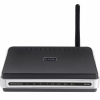
First be sure that the built-in Firewall in Windows 7 turned on. It should be, but check it to make sure. If you have a direct connection to the Internet, a cable broadband or DSL connection, a separate home or small business router or combination router/wireless access point normally includes a built-in hardware firewall and an extra measure of security between the modem and my networked computers. Setting up a router or router/wireless access point, be sure to follow the setup directions for your particular router, change the network name and passwords from the defaults and use the strongest wireless security settings your router/access point and other wireless equipment supports. Also take notes about the settings you keep and the changes you make either in the paper version of the manual or like me, keep a notebook that contains all your network manuals or setup guides and keep a record of your changes and updates there. Believe me, there will be a day when those notes, network sketches and settings will be helpful.


Security Software
Many new computers come with short-term trials of security software. Several free security packages are also available. Don't wait until you grow tired of the nagging to purchase their paid products. Set aside a time to remove the trial security package, and immediately download and install Microsoft Security Essentials (MSE). When I last checked the security software suggested on the Security Baseline page, Microsoft Security Essentials was recommended by Windows Secrets' editors Susan Bradley and Fred Langa for anyone looking for anti-virus and anti-malware protection. Langa reported his experience using MSE and Windows built-in firewall for six months on nine different desktop and laptop computers with a mix of Win7, Vista and XP. "All the machines have remained clean," Langa wrote. "They've suffered no malware or virus infections whatsoever."


I also run at least a monthly scan alternating between free versions of MalwareBytes and SUPERAntiSpyware. Usually all I'll catch on these extra scans are cookies that share enough information with other 3rd party sites to be considered "spyware." But I like to take that extra step in the interest of privacy and security and I appreciate having both free products immediately available if I were to suspect a more serious problem.


Manage Software Updates
Microsoft maintains a free update program for MS software, usually once a month on the second Tuesday of the month, but occasionally security updates are sent out before the monthly updates. Check the settings in your control panel to make sure you are notified about the updates and then update the software as soon as practical. Most home users can just choose to allow the update process to download and install the updates in background.


You also need a plan to manage all your other non-Microsoft updates and keep your browser and email packages secure. I use Personal Software Inspector (PSI) from Secunia. Start with the link, look at the screen shots and then read through the tabs until you get to the download page. Be sure to read the system requirements and other hints. For additional help before or after the installation process, Secunia provides an extensive FAQ page. Look over the topics, scan down the page to see how detailed the answers are and then use the FAQ if you need help. One final suggestion. Although PSI offers an automatic update setting, and I use it, be sure to check the icon that PSI installs with the other notifications at the bottom right of the screen after every startup. The icon should be green. If yellow or red, click on the icon to open PSI and see what action you may need to take to update your installed software. 

Use a Secure Browser

If you're using Windows and not yet using Internet Explorer 9, you should be. However, many knowledgeable computer users prefer Mozilla Firefox or Google Chrome. Both third-party browsers have unique features that may cause some users to prefer one or the other. Actually on my own machines, I keep up-to-date copies of MSIE, Firefox and Chrome so I can check and occasionally troubleshoot web pages with all three browsers. Use the automatic updates provided with Chrome and Firefox to help keep your browser as secure as possible.


Final Good Idea: While you're checking out the security essentials and other articles, be sure to sign up for their FREE version of the Windows Secrets email newsletter with the latest tech info and helpful tips on Windows. After receiving a few of the free versions, you may find the small donation for the complete version is easy to justify. Although retired and no longer directly involved in IT, I still read every issue.


Back to Top

October 4, 2010

There's good news and bad news regarding U.S. eBanking thefts

These days, all you have to do is blink and you'll miss something on the Internet. I was off-line for a day or two and when I came back on "the net" I discovered that the FBI, working in concert with police officials in Great Britain and the Ukraine moved to break up one of the groups using the ZeuS worm to steal funds from individuals, businesses and government agencies. Brian Krebs, as usual, kept track of all the developments on his KrebsonSecurity blog. If you missed the details of the story in your local paper, you can follow the progress of the story using the links below:
Sep. 29, 2010  "19 Arrested in Multi-Million Dollar ZeuS Heists"   (UK)
Sep. 30, 2010  "11 Charged In ZeuS & Money Mule Ring"   (UK)
Sep. 30, 2010  "U.S. Charges 37 Alleged Money Mules"  
Oct.     2, 2010  "Ukraine Detains 5 Individuals Tied to $70 Million in U.S. eBanking Heists"

The above is indeed great news. According to Krebs, "Investigators say the Ukrainian gang used the software to break into computers belonging to at least 390 U.S. companies, transferring victim funds to more than 3,500 so-called “money mules,” individuals in the United States willingly or unwittingly recruited to receive the cash and forward it overseas to the attackers."

The bad news is that there are still other groups using ZeuS to obtain account and password information, then making fraudulent electronic fund transfers and money mules to move the money out of the country and into the hands of the thieves at the top of the organization. Law enforcement and banking officials need to do a better job of letting users know how these groups operate and how users can improve the security of their individual and commercial accounts to prevent these thefts in the first place.

Once again, if you don't have KrebsonSecurity on your RSS feed or your daily reading list, you're missing an important source of information about keeping your own computers or your company's computers secure.

September 1, 2010

God will get them for this!...

Last week, the Catholic Diocese of Des Moines, Iowa lost more than $600,000 to the usual type of electronic fund transfer theft. When one of the U.S. money-mules involved in the scheme questioned the transfer, he was told the funds were being transferred to compensate sex abuse victims. See: http://krebsonsecurity.com/2010/08/crooks-who-stole-600000-from-catholic-diocese-said-money-was-for-clergy-sex-abuse-victims/

KrebsonSecurity reports on Sept. 1st that criminals used a computer virus to steal the Univ. of Virginia at Wise comptroller's credentials and then electronically transferred $996,000 from BB&T to the Agricultural Bank of China. Nothing in BB&T's EFT software triggered an alarm and nobody at the bank bothered to check on the legitimacy of the transfer? How many million dollar transfers does UVA-Wise make to Agricultural Bank of China? See: http://krebsonsecurity.com/2010/09/cyber-thieves-steal-nearly-1000000-from-university-of-virginia-college/

Now look. I'm tired of writing about this, but I'm also absolutely convinced businesses and government agencies - whose commercial accounts lack the protections afforded to individual consumers - need to take simple, inexpensive precautions to prevent similar thefts. Brian Krebs spells out ways for businesses to protect themselves in the links attached to the bottom of the UVA-Wise article above.

From the lack of information in newspapers and national news networks, I guess the only people who think this type of crime is a big deal are the victims who have actually lost money. These are preventable crimes that need to be exposed and not hidden from the public.

August 18, 2010

More Zeus Banking Trojan Attacks

a
From: ArsTechnical.com
One would think that Microsoft users would be rushing down to their local computer store looking for the latest and greatest (and certainly a more secure) computer operating system, but that's really not the case. Ars Technica has the numbers and graphs to show just how resistant Microsoft users are to change. In July 2010, 62 percent of Microsoft users are still using Windows XP, but Windows 7 by rising to 14.5 percent has passed Windows Vista at 14.3 percent of computer users. Macintosh users comprise 5.1 percent of the OS market share and Linux (all varients) rolled back to a 0.93 percent share. Check out additional graphs and the full report at: http://arstechnica.com/microsoft/news/2010/08/windows-7-overtakes-windows-vista.ars

If you are one of 62 percent of the Microsoft faithful who are still using Windows XP and for good reasons still don't wish to upgrade your older computer right away, help is available. Fred Langa, senior editor of the Windows Secrets Newsletter, has an extensive checklist of things you can do to extend XP's usefulness on your existing older hardware for a long time. The list doesn't have to be completed all in one sitting. Instead, it's arranged in a logical fashion and with a little TLC and patience you can extend your computer's long-term health even further. If you're really serious about keeping your Windows XP system, see: http://www.windowssecrets.com/2010/08/12/01-Preparing-Windows-XP-for-the-long-haul

No less an authority than PC World stirs the security soup by pointing out that Linux's open source software is inherently more secure than Windows for small business owners and others like schools and local governments who can't affort a large IT security staff. The fact that fewer people use Linux and Linux's inherent diversity makes a less attractive target for the people who write malware is only part of the answer. PC World's Business Center looks at the PC security issue at: http://www.pcworld.com/businesscenter/article/202452/why_linux_is_more_secure_than_windows.html

Maybe Linux users should just be thankful that Microsoft complacent customers have become a gigantic "honey pot" that keeps the bad guys with the malware focused on the much larger Windows market and less on Macintosh and Linux systems. At the end of the XP's life span, please stay as safe and secure as you can.

April 8, 2010

SteadyState software not available for Windows 7

If your library, school or Internet caf‎é uses SteadyState, Microsoft's free application to help keep public access computers safe, the wizards of Redmond apparently decided not to update the free software for use with Windows 7. WindowsSecrets.com has the full write-up in the current edition of its newsletter. Some SteadyState users plan to stay with Windows XP or Vista so they can continue using SteadyState rather than spend money that's not in their budget for commercial 3rd party applications. The article mentions that one individual on the Microsoft SteadyState forum was "able to install SteadyState on Windows 7 systems by using the new operating system's Vista or XP compatibility mode. But at this time, it's not known whether all features — particularly Windows Disk Protection — will work."

The article also includes several common sense guidelines for people who occasionally use public PCs and Wi-Fi networks.

I remember that during Hurricane Katrina, a number of the emergency computer stations were established in refugee facilities for evacuees to contact relatives or search for other family members. The temporary computer stations booted from a Live CD without access to the local hard drives. Users accessed the Internet for email, browsing and any applications added to the Live CD. Even if a Live CD "wandered off," it was cheap enough to make a few spare copies that were easily replaced. That seemed fairly bulletproof at the time. Linux systems, like Windows, can be set up to run in "guest" mode with password required administrative access and limited access to local storage or other changes. With some 77 million Americans using a library computer or a public Wi-Fi access to reach the Internet last year, as reported in the article, it may be time to look for other, less expensive, options for schools, libraries and government facilities.

March 23, 2010

Arkansas is NOT immune to cybercrime!

Brian Krebs, the former Washington Post reporter now writing at KrebsonSecurity.org, has confirmed that cyber-criminals struck an Arkansas regional water utility and a New Jersey town recently moving money from the government accounts by online transfers.
...On March 4, organized crooks stole roughly $130,000 from North Garland County Regional Water District, a public, nonprofit utility in Hot Springs, Ark. Again, thieves somehow broke into the utility’s online bank account and set up unauthorized transfers to more than a dozen individuals around the country that were not affiliated with the district.
The investigation continues and the public utility and bank have recovered about half of the losses. You can read the complete article at: http://www.krebsonsecurity.com/2010/03/organized-crooks-hit-nj-town-arizona-utility/#more-1918

Update: 3/30/10  I can't say it any better. "Online Thieves Take $205,000 Bite Out of Missouri Dental Practice." Brian drills down into the details (pun intended) at: http://www.krebsonsecurity.com/2010/03/online-thieves-take-205000-bite-out-of-missouri-dental-practice/

A public library in Florida, a school district in New York, a manufacturing firm in Texas, a water utility in Arkansas, and those are just a few recent cases. Keep in mind that commercial accounts are handled differently than consumer accounts. Brian reminds us, "Let me be clear: The advice was aimed not at consumers, but at small to mid-sized companies that may not have a full-time IT/security staff, and who rely on one or two people to handle their bank accounts and payroll online."

This type of online computer theft uses infected computers to make electronic transfers from uninsured commercial bank accounts. If a cyber-thief gains access to your login and password, the commercial account holder is on the hook - not the bank. The bank was following "your instructions." These crimes are happening from coast to coast, but you're not reading about the details in many daily newspapers or on national TV news programs. You can find more examples in Brian's earlier articles in the Washington Post at: http://voices.washingtonpost.com/securityfix/small_business_victims/

I haven't found any better articles regarding how small businesses, government agencies and non-profits can try to protect themselves than Brian's earlier articles on the topic. My suggestion is review all three of the articles and do what you think works best for your organization.
"Avoid Windows Malware: Bank on a Live CD," WashingtonPost.com, Oct. 12, 2009
http://voices.washingtonpost.com/securityfix/2009/10/avoid_windows_malware_bank_on.html
"E-Banking on a Locked Down (Non-Microsoft) PC," WashingtonPost.com, Oct. 12, 2009
http://voices.washingtonpost.com/securityfix/2009/10/e-banking_on_a_locked_down_non.html
"E-Banking on a Locked Down PC, Part II," WashingtonPost.com, Oct 20, 2009
http://voices.washingtonpost.com/securityfix/2009/10/e-banking_on_a_locked_down_pc.html

March 21, 2010

Free software for new Windows computers

Question: B.R., I just purchased a new computer. What can I do to help prevent virus infections and other security problems?

First of all, most new computers you purchase in a store or online come with Windows and several other applications preinstalled. The list may include a trial version of a security suite. That's OK, if you want to pay to use the program after the trial period runs out. Usually, I'll remove the programs I don't want to keep and free up the space for the software I want to use. I don't want anything on the new computer that doesn't provide frequent software updates and if possible I want applications to maintain themselves or at least notify me when new updates are available.

I use mostly free or open source software everyday on the Windows computers I maintain. You can already find links to the two starter kits mentioned below on my webworkshop home page. This blog post is intended to go beyond just listing the links. Now to get down to work...

While I tend to avoid the larger (bulky and frequently hard to remove) security suites like Norton and McAfee, people can "roll their own" system with a number of free security applications, using the top performers in each category. The two so-called "starter kits" discussed in this article are actually CNET reviews of various free security and windows applications. I'll run through the list in a minute. But before the Ethernet cable or wireless connects, keep in mind that my computer is already hiding behind a small 4-port router/wireless access point. And as I've run through the initial router set up, I've changed the name and password on the router from the factory default. I've also written down the new settings in a special network notebook I keep in my home office so that get back into the router and check the settings if I need to further tweak the network. The latest Windows Secrets security baseline was just released this week (3/28/10) and is a good place to start. See: http://WindowsSecrets.com/comp/100318

If your new computer system is for a business and the hardware and software costs can be deducted as a business expense, save time and effort by going for the security suite such as the top three mentioned in the Windows Secrets article. Home users and students on a limited budget can still save money selecting from a shelf-load of free security software intended for personal use. Unless your corporate IT department recommends otherwise, I always recommend that the average home and school user set Windows' Automatic Update feature to retrieve and install all Windows patches and updates automatically. Expert users who use corporate software may well need to be more cautious.

Next we'll use CNET Security Starter Kit which contains links to most of the software mentioned below after the jump. (Click the "Read More" below to continue.)

March 6, 2010

PC Questions and Answers: Learning from each other

The first trial "PC Questions and Answers," workshop, quickly nicknamed "The Doctor is IN," provided a free walk-in computer Q&A clinic Wednesday afternoon, March 3rd. I was joined by the very knowledgeable P.J. Williams, a librarian who deals with technology at the Fort Smith Public Library. All the questions were throughly aired. The spontaneous and unrehearsed session was considered a success with seven participants attending. Some of the major discussion topics included:

I don't have a computer. Should I purchase a laptop or desktop?
That question has filled entire chapters in several books! Google lists 22,000,000 articles, blogs and entries for the search term "laptop or desktop."One of the most comprehensive easy-to-read guides can be reached at Consumer Reports online "Computer Guide". A subscription is required to get to specific ratings (well worth the annual subscription fee) or you can visit your local Fort Smith Public Library and use their subscription. Bottom line: it depends on what you want to do with your computer. Let Consumer Reports help you work through that decision.

What brand of computer is more reliable?
Reliability ratings based on input from thousands of consumers just like you are included in the Consumer Reports ratings mentioned in the above question. Almost every computer magazine writes hardware and software reviews. In addition to Consumer Reports, I use CNET, PC Magazine, PC World Online among many others. Keep in mind that quality and reliability can vary between different models of the same brand and even individual machines. Make sure your machine comes with a strong warranty backed by a reliable company. I'll save the question you're just about to ask concerning extended warranties for another Q&A session. 

How do I make sure personal data files are removed from the hard drive prior to recycling the old computer?
I thought a former governor's staff used the best solution when they allegedly smashed the hard drives taken from their computers in the Arkansas Governor's office and buried them in a land fill. That certainly tends to derail any future Freedom of Information Act requests.

Computer technicians usually have software that can erase and write over hard drives a number of times making it very difficult for crooks to recover information about your bank accounts and investments. You'd be surprised at what computer techs have tripped over (and some have shared with others) while they were working on someone's personal computer. It's OK to be a little paranoid about where your financial, medical and other personal data files end up.

Jason Fitzpatrick, weekend editor for Lifehacker, posted a comprehensive article, "Properly Erase Your Physical Media," in February 2009 which goes into more detail than you may want to know about erasing a hard drive and includes links to software programs that offer ways to properly erase your hard drive, and yet leave it so that it can be reformatted and reused. If you're aware that your data can be stolen from a computer or hard drive you recycle or give to a charity, you're smarter than 40 percent of the people who sell hard drives on eBay.

All in all, the small size of the group meant that the discussions were lively, informal and people could ask several follow-up questions. There is still one question about a glitch in Internet Explorer that we're still working on. I think I've found a possible answer to test on the errant machine. I'll post an update later if it works. Not a perfect score, but nobody knows everything. I'm sure there will be more we can learn from your questions.

The next PC Questions and Answers is scheduled for April 7, 2010 at 1:30 P.M. in the Fort Smith Library Computer Lab.

A version of this entry is also posted on the Fort Smith Seniors Blog